My AI tooling journey (so far)
Published on 20 April 2026
Like a lot of engineers, my AI tooling journey started with GitHub Copilot around 2022-23. This autocomplete functionality was useful for predictable method names (initialize for Ruby devs like me) but it was also noisy and distracting. I had it enabled most of the time but certainly wasn’t convinced it was helpful.
Cursor, and my first wow moment
I’d heard about tools like Windsurf and Cursor so I started playing around with the latter towards the end of 2024. What I found impressive right away was the fact Cursor could autocomplete more than just method names. I could describe a test in plain English and it would write it. I think this was technically possible to configure with Copilot but with Cursor it just did it out of the box.
However, similar to Copilot autocomplete, the suggestions could be noisy and sometimes 80% correct. Accepting a suggestion and then editing the 20% was painful.
The first wow moment I had was working with a designer who needed some data for his mockups. I had Cursor knock up a script that pulled data out of our database into something he could use in about 20 minutes. The script was maybe 100 lines, pretty hacky — but the kind of thing that would have taken up a day if I’d written it myself. At this point it was clear to me that in certain contexts this tooling was immensely powerful.
Claude Code
The thing I found painful about Cursor was that my approaches were essentially one-shot attempts. I played around with writing up a .txt file of instructions (similar to what is now a “plan”) but I found its output ok, not ground breaking. I also found the UI where the “agent panel” was a bit hidden away and painful to use.
Claude Code was the tool that moved the needle for me in this regard.
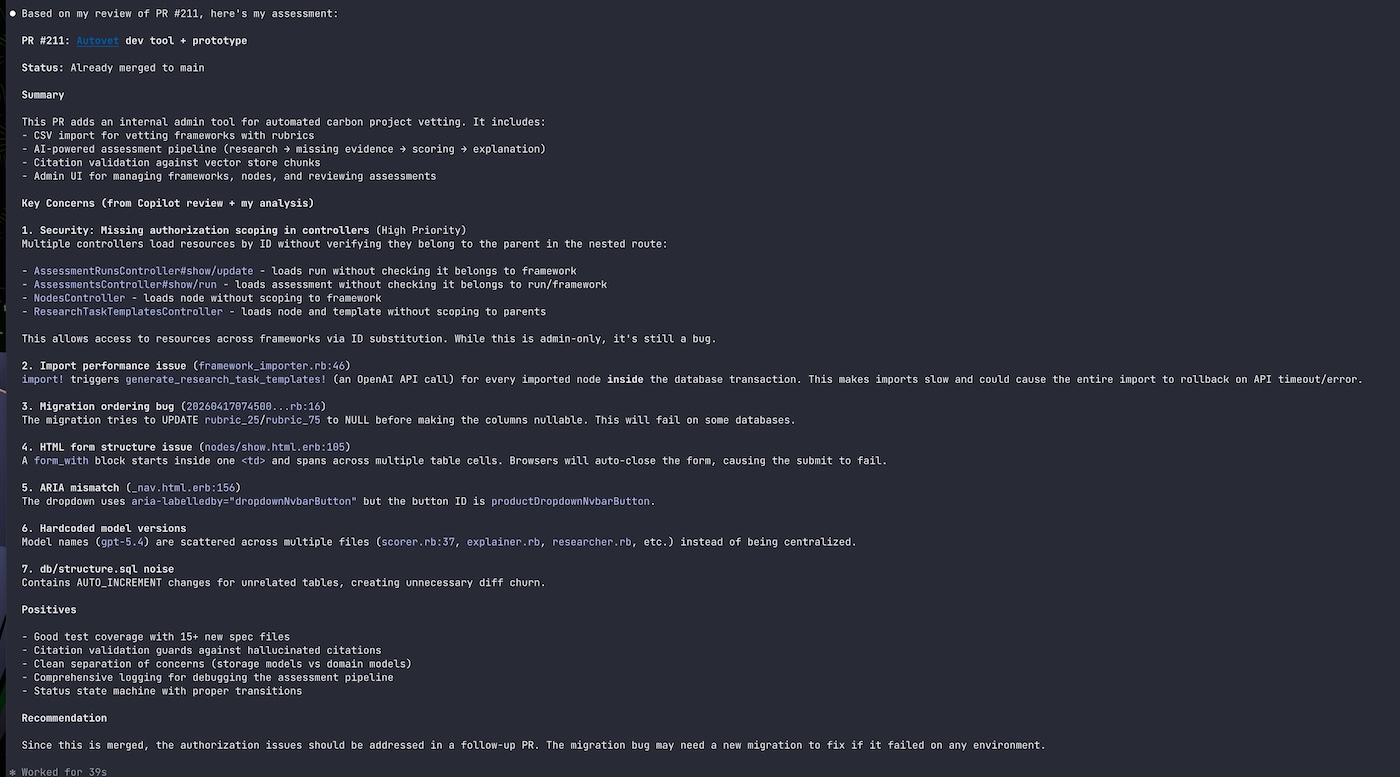
Working in the terminal with the agent flow front and centre was a game changer for me. I also noticed its output felt better than what I was getting with Cursor, and “plan” mode was the killer thing for me. Before plan mode, I was essentially co-writing — opening the file myself and letting the tool fill gaps, always a bit nervous about handing over anything substantial in case I’d spend more time correcting than I saved. Plan mode changed that. The first time I really noticed was on a feature I’d have been reluctant to hand to Cursor — the kind where one wrong turn costs you an hour of cleanup. Having the model think it through first gave me enough confidence that my role shifted: less co-author, more reviewer. That reframing was the thing that moved me toward an agent-first approach. Finally I’d get output that required tweaking rather than re-writing.
I also found setting up tasks super helpful — I still use my “code review” task where I point it at a PR and it reviews it for me.
Codex
By the start of ‘26 I’d shifted from roughly 50/50 — half the code through Claude Code, half by hand — to an agent-first approach using Codex.
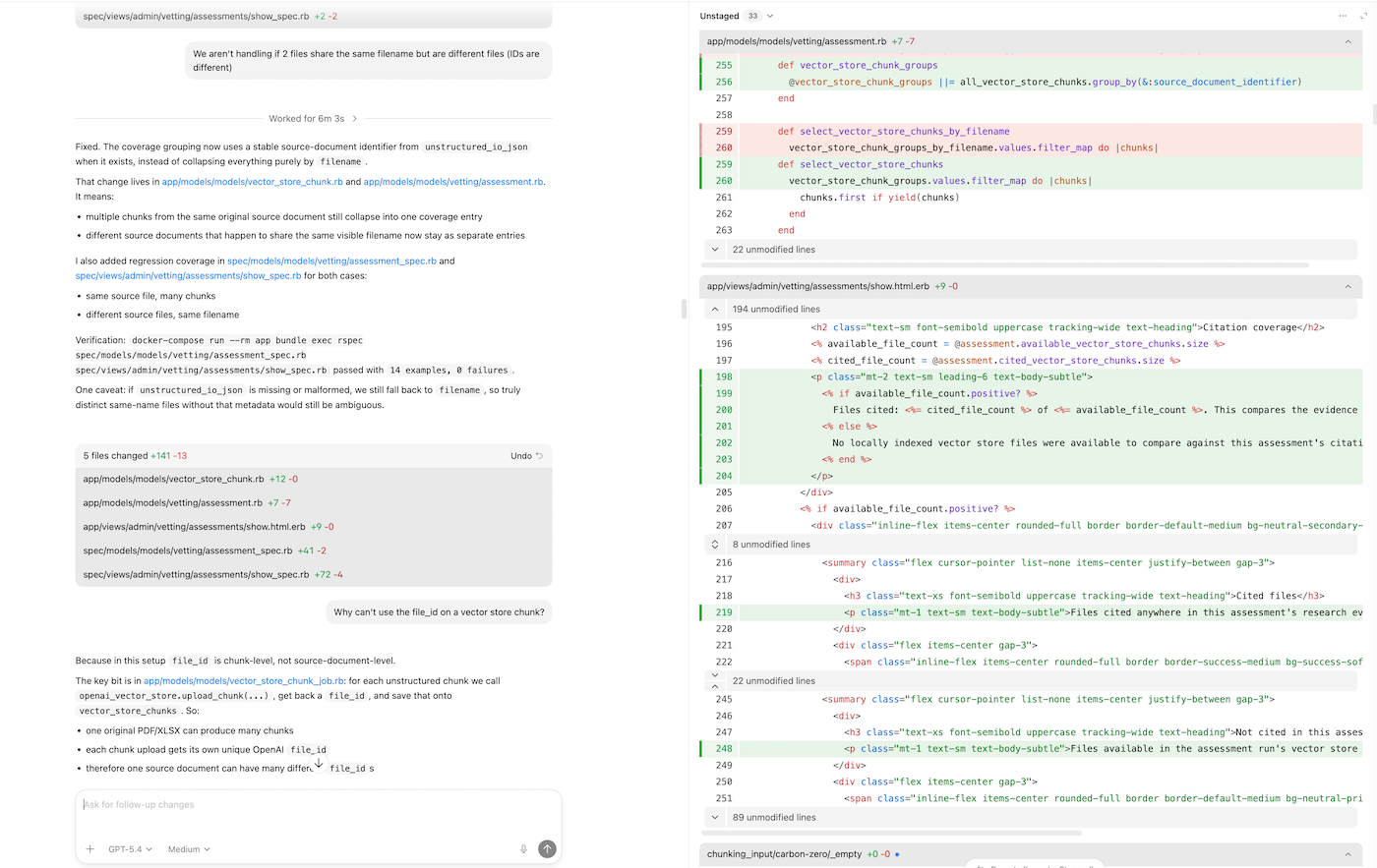
As a result I write very little code myself these days. I spend my time planning, thinking and reviewing. I shifted to Codex from Claude Code in the terminal because I preferred the form factor: desktop app with a minimalistic vibe, diffs on one side, conversation on the other. Git worktrees are a click away and MCP connectors are easy to set up.
One of the things I found painful about Claude Code in the terminal was having to manually manage worktrees, so I rarely did it.
Staying light
One thing I’ve noticed about myself with these tools: I don’t have the time or energy to go deep on any single one. I use them day to day and if they work for me, great.
My strong belief is that whatever we’re using right now is not what we’ll be using in twelve months, so I don’t want to go deep into these tools and would rather focus on the higher-level workflow skills that are transferable and will remain.
That belief has been vindicated more than once. As mentioned above, I never bothered setting up Git worktrees with Claude Code in the terminal because it was too much hassle — in Codex it’s a click. I haven’t dug deeply into Codex’s features and connectors beyond the low-friction ones either. Every time I’ve resisted over-investing, the next generation has turned clunky workflows into trivial ones.
What’s next
I’m still reviewing code the way I’d review a junior’s work. The Claude code review task I set up helps — Codex writes, Claude reviews — but what would it look like if that whole loop were automated? A tight spec at the start, an agent to write, another to review, some AI-driven QA and automated testing on top, and a final check against the spec. In that world most errors become spec errors — a failure to describe what you actually wanted upfront. That reframes the job quite significantly.
Tied to that, I want to lean into TDD. Plan mode in Claude Code was the single biggest jump in output quality I’ve experienced — having the model think before it types made everything downstream better. My hunch is that writing the test first will do the same thing again. A failing test is just a very precise spec, and these tools are at their best when the spec is tight. They have a tendency to write over-speculative code otherwise.
I’m also curious about writing code on mobile. I’ve been sceptical of mobile as a form factor for engineering work, but I’ve started using Claude Code on mobile for side projects and small hunches. It’s a faster-horses situation — I can’t quite picture what I want until someone shows it to me. Next on the list is Opus 4.7 and running Claude Code inside the Claude desktop app — that might bring me back to Claude Code from Codex. I have no idea where I’ll go from there though!